Integrated customer communication: scalable omnichannel solutions with automatic translation for your company
With over 20 years in the Customer Care industry, we’ve harnessed our expertise to craft Mondo’s platform and features perfectly. Explore the unique capabilities of Mondo below.
The crucial role of having an omnichannel customer care
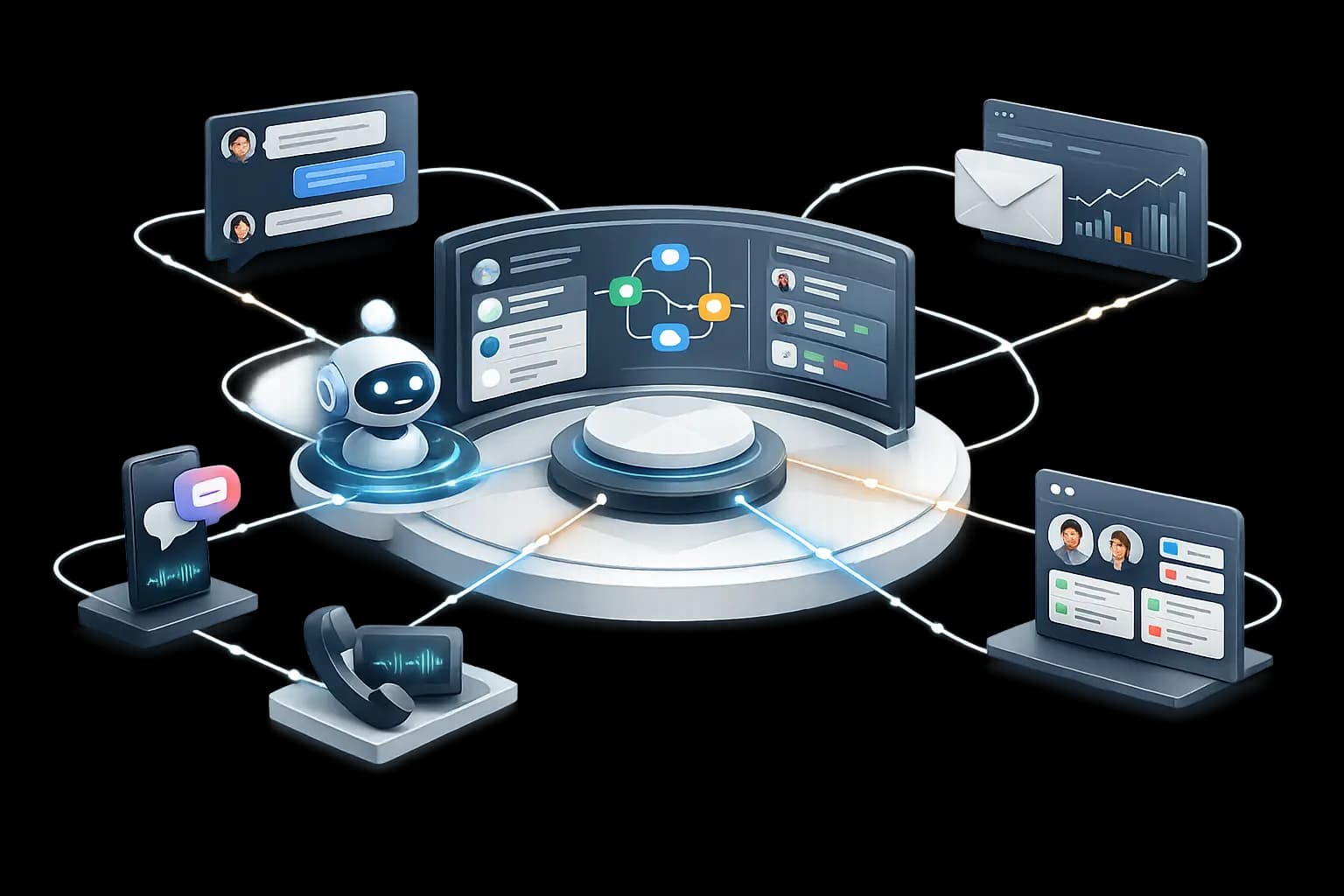
An omnichannel customer care strategy is paramount in today’s business landscape. It recognizes that customers interact with brands across various touch points, be it through webchat, email, social media or phone. This strategy ensures a seamless and consistent experience across all these channels.
Our approach increases your customers’ satisfaction by giving them the option to choose their preferred communication method, promoting comfort through convenience and reducing frustration.
A well-implemented omnichannel customer care strategy not only improves customer loyalty and retention but also drives increased sales and revenue.
To start, let’s dive into more details about Mondo’s features.
Contents on this page
Webchat features
Business communication management
Omnichannel integration
External integration
Dashboard & analytics
AI & agentic automation
Mondo’s AI can automatically resolve customer inquiries—triaging, answering, and executing follow-up actions across channels without agent intervention.
Autonomous AI responses
Automatically responds to customers in real time, based on your configured content and knowledge sources.
Autonomous agentic AI responses
Identifies the issue and urgency and routes only exceptions to the appropriate team or queue.
Conversation summaries & handoff context
When an issue is escalated, the AI instantly generates summaries and relevant details for a fast handoff.
Knowledge base response (Grounded AI)
Provides answers based on internal documents/FAQs for consistent results and fewer hallucinations.
Agentic workflows (automated actions)
Automatically creates tickets, requests missing information, tags/categorizes, assigns, and triggers follow-ups—according to your rules.
Quality, compliance & auditability
Logs AI decisions and actions end-to-end for complete traceability (what/when/why).
Webchat
OpenAI Integration
Experience seamless communication: manage messages, get instant chatbox support, overcome language barriers, and summarize orders effortlessly. Streamline your workflow!
Automatic translation
The auto-translation feature allows agents to handle chats in languages they aren’t assigned to, and supports translations between multiple languages.
Instant Messaging System Features
Enhance real-time communication and collaboration.
Unified Interaction Management
Effortlessly manage all interactions, ensuring efficient handling.
Agent-Customer Conversations
Initiating a conversation with a customer, the agent can access order & interaction history, transfer the interaction to a specialised team or supervisor and create a support ticket.
Interaction History
Access a comprehensive log of past interactions and monitor ongoing ones. You can filter and sort by various criteria, such as date and agent username.
Agent Status Overview
Stay informed about the current status of all agents with this view. You can easily identify who is online, penalised, on a break or authenticated.
Role-based Views
We offer three views: for agents, supervisors and account managers. Review and manage interactions as they appear to ensure organised and efficient communication.
Mondo-Units
Features for managing business communications
Client
- Select the countries where you operate.
- Define communication channels outside business hours.
- Create and edit personalized content for the selected countries and languages.
- Configuration options:
– Selecting omnichannel platforms;
– Generating interaction reports;
– Setting up event webhooks;
– Configuring email server settings for email channels;
– Integratiing with ticketing platforms;
– Linking with outbound call providers;
– The customer entity includes multiple companies;
– Supports multiple channels outside business hours.
Channel
- Custom communication channels:
Each channel represents its own communication path, including options such as web chat, phone, and email. - After-hours flexibility:
For added flexibility, channels can optionally be linked to after-hours channels. - Tailored content:
Mondo lets you modify channel-specific content, adapting canned messages and replies to the individual needs of each communication channel. - Assignment strategies:
You can choose assignment strategies that align with your business goals and preferences. - Efficient interaction handling:
Mondo lets you configure timeouts and set how long an agent can be inactive before interactions are reassigned, ensuring customer inquiries are handled promptly. - Prioritization:
Assign priorities to channels so you can manage and allocate resources effectively by giving higher priority to more important channels.
Customer intent classification
- Agents can categorise customer intent at any point during an interaction; this is mandatory for concluding a conversation (e.g., classifying a customer’s intent as “Product Information”).
- For each classification category, you can create a multi-item checklist for agents to review before closing an interaction.
For example, if the classification is “Find product,” the checklist can include items such as “Check availability,” “Price,” and “Make an offer.”
Business
- The website where Mondo is deployed.
- Country-specific.
- Multilingual.
- Efficient management of working hours.
- Creation and editing of business-specific content.
- Includes all communication channels.
- After-hours channel:
– Defined by a name;
– Designed for interactions outside your regular business hours.
Queue
- A subcategory within a channel for agent grouping (e.g., Order Cancellation Queue).
- Bound to either a client or a business.
- Configuration closely parallels that of a channel.
- With Mondo Units, you gain comprehensive control over your business communication management, allowing for efficient customisation and optimisation of your interactions, channels, and queues.
Notification texts
- The system automatically dispatches messages at key moments in the interaction flow. Examples include notifications when a customer is assigned to an agent or when a customer contacts outside of business hours.
Text templates
- Canned responses:
Use predefined replies to respond to customer inquiries efficiently. - Tailor interaction texts to specific country and language combinations.
- Email templates:
Similar to canned responses, but tailored specifically for email communication. For instance, a template could address “Sales” inquiries.
Cleanup automation
- Automatically closes interactions when a customer has been inactive for more than twenty four hours. This ensures efficient management of ongoing engagements and optimizing system resources.
Teams
- Teams are strategically organized groups of agents led by team leaders.
Agents can, for example, be grouped by their language skills. These teams are assigned to specific customers to ensure customer needs are met seamlessly.
Each team has its own name and consists of a list of team leaders and agents, enabling efficient collaboration and task distribution.
Key Strategies
- These strategies are algorithms used to determine which agent should handle a particular interaction.
- RR Memory (Round Robin Memory):
This strategy aims to send customer contacts sequentially to available agents in the order in which they were added to the channel or queue. It remembers the last agent to ensure equitable distribution. The agent who receives the conversation is automatically assigned to it. - All at once:
With this strategy, an interaction is sent to all available agents at the same time. The conversation is ultimately assigned to the agent who responds first.
Track your work and customers
- Automatically send an email containing interactions from the current and previous day.
- Configuration options:
– Send time
– Which days the report should be sent
– Time zone
– Recipients
– Email subject and body text
– File format
Agent assignment
- Highly versatile and optimised to support multiple languages. Agents can be assigned to various channels and queues tailored to your business needs. This flexible allocation empowers you to align your team with specific communication requirements, ensuring a responsive and customized approach.
- To maintain top-notch service quality, our system imposes a maximum limit on concurrent interactions for agents.
Reassign
- This strategy takes effect after a certain period of inactivity by an agent in a conversation.
In such cases, no new contact is assigned to the agent, meaning they receive no interactions for a specified period of time. - Afterwards, the assignment strategy is applied again to ensure interactions are handled effectively.
These assignment strategies provide flexibility and efficiency in distributing interactions among agents, optimize response times, and ensure agent accountability.
Omnichannel integration features
Interactive voice response configration (IVR)
- Use a user-friendly graphical interface to create call flows via a simple drag-and-drop process.
- Configure modules and options such as Order Status, Playback, and Playback DTMF.
- Employ Callback and voicemail modules for effective customer communication.
- Benefit from lmultilingual support and reach diverse customer groups.
- Optionally record interactions for quality and compliance purposes.
- Set variables that enable flow branching, such as checking office hours.
Chat snippet generator
Streamline the configuration of chat snippets for web chat channels to appear on your website seamlessly. Customise theme colours and text colours for both online and offline modes. Tailor the placement of the snippet launcher on the page. Extend snippet functionality to other text-based services, including Facebook and WhatsApp.
Email integration
Seamlessly integrate email by entering your email server settings, including login details, server ports for incoming and outgoing email, and other required configurations. Create a new email channel, specify an inbox folder, and add a display name and address to ensure smooth email communication.
This comprehensive Omnichannel Integration solution empowers your organisation to manage various communication channels effectively, offering customisation, ease of use, and seamless integration for enhanced customer engagement.
The auto-translation feature allows agents to handle emails in languages they aren’t assigned to, and provides support for translations between multiple languages.
Outbound calls
Empower your business to proactively reach out to customers with Mondo’s outbound calling feature. Seamlessly initiate outbound calls through a robust telephony voice service that ensures clear and reliable communication.
Tailor your outbound calling experience by configuring voice providers effortlessly within our system, accessible through the client view.
External Integrations
Ticketing
Occasionally, agents may need to create a ticket within your system to resolve an issue.
You can seamlessly integrate your ticketing platform settings into our system, enabling agents to generate tickets directly from Mondo. This integration also allows for automatic responses to be sent to the customer.
Order Status
To provide agents with access to the customer’s order history, integration with Mondo is necessary. This integration process is straightforward and user-friendly, ensuring easy configuration.
Agent events
Stay informed about agent activities such as logins, logouts, receiving interactions, going on breaks, and more.
Life Cycle Hooks
We can transmit multiple events to you throughout a conversation through web calls. You can subscribe to any of these events on the client view page, enhancing your real-time visibility into interactions.
Dashboard & Analytics
System overview
Gain a comprehensive understanding of your system’s status.
Experience a holistic view of your system’s health and performance with our System Overview feature. Monitor the heartbeat of your infrastructure and ensure smooth, uninterrupted service. Gain valuable insights into system trends and make data-driven decisions to continually enhance your operations.
Agent Overview
Obtain an insightful overview of your agents’ performance, productivity, and engagement.
Customise your dashboard with various metrics and Key Performance Indicators (KPIs) aligning with your business goals and objectives. These features provide valuable insights and the flexibility to track and analyse the data that matters most to your organisation.
Ready to dive in?
Try Mondo free for 30 days and start transforming your customer experience today.
See prices
Create a free account